Run your entire training operation from one platform.
Create programmes, deliver learning across web and mobile, manage teams and cohorts, engage learners and measure outcomes with the control your organisation needs.
- SAML 2.0 single sign-on
- Role-based access
- White-label portal
- Audit logs
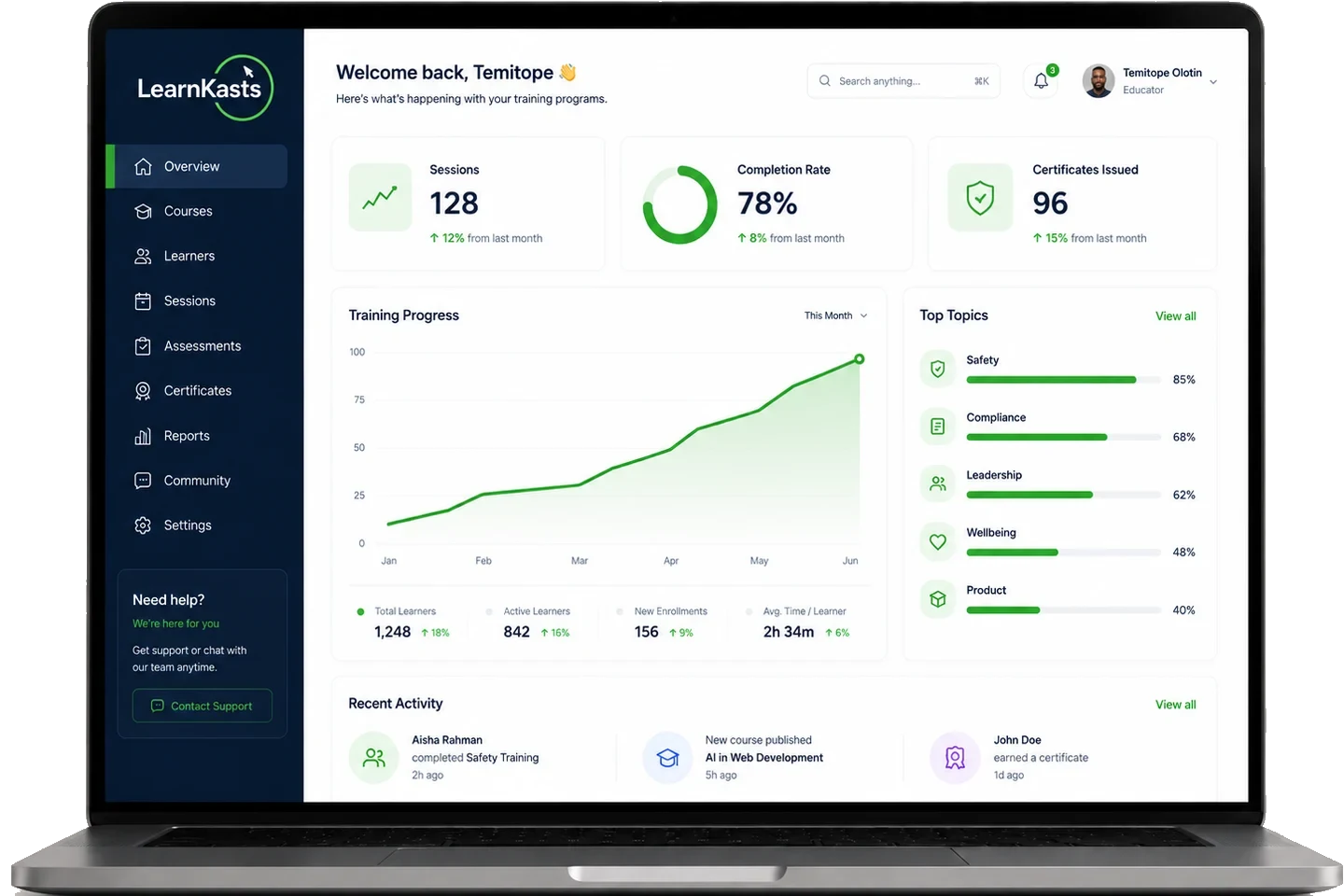
Your training platform should fit your organisation, not the other way around.
Four things an organisation has to be able to answer before it can put a platform in front of its people.
Identity
Single sign-on over SAML 2.0, with accounts created on first sign-in and roles assigned from your identity provider claims.
Access
Eleven built-in roles with per-ability permissions, so a finance officer, an instructor and a registrar each see only their part of the platform.
Data
Organisation-wide reporting, data export, an audit trail of administrative actions, and learner consent records.
Brand
A white-label learner portal on your own custom domain, with LearnKasts branding removed.
Five jobs, one platform.
Create it, deliver it, keep learners engaged, measure what happened, and govern who can do what. Govern is the layer an organisation needs that an individual educator does not.
Create
- Programmes and courses
- Quizzes and question banks
- Assignments with rubrics
- Certificates
Deliver
- Teams and departments
- Cohorts and class sections
- Web, iOS and Android
- Live classes and webinars
Engage
- Communities and discussions
- Announcements and notifications
- Goals and progress tracking
- At-risk learner outreach
Measure
- Completion and progress
- Attendance
- Assessment results
- Programme and ROI analytics
Govern
- SAML 2.0 identity
- Roles and permissions
- Audit logs
- Exports and webhooks
What organisations actually run on LearnKasts.
Each of these is a job with an owner, a deadline and someone asking for a report at the end of it.
Employee onboarding
Compliance training
Leadership development
Professional certification
Large cohort programmes
Public and NGO programmes
Partner and customer education
Know whether training is actually working.
Move from attendance lists and spreadsheets to measurable training outcomes. Roll the same measures up and down the organisation instead of rebuilding them per report.
Compliance reporting, skills analytics, at-risk learner surfacing and training ROI reporting are all available at organisation level, and reports can be exported.
- Organisation
- Programme
- Cohort
- Team and department
- Individual learner
- Enrolment
- Activity
- Attendance
- Progress
- Assessments
- Completion
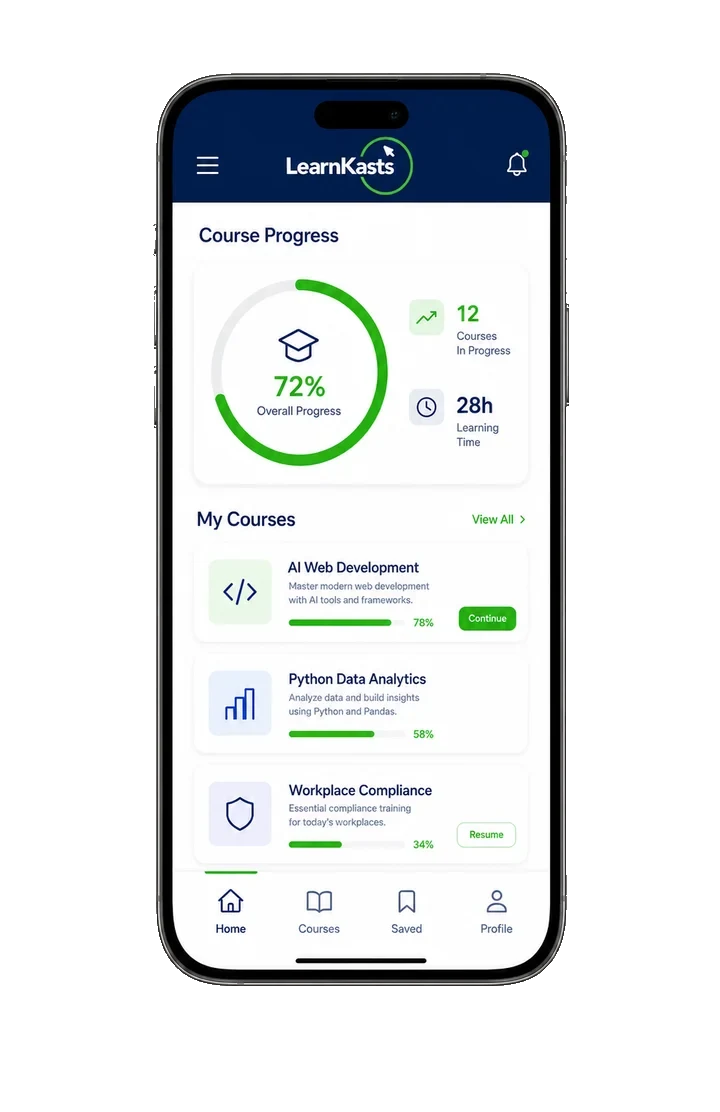
Reach learners wherever the work happens.
Training rarely happens at a desk. Field teams, shift workers, learners across several sites and public programme participants mostly have a phone and an uneven connection.
- The full programme on mobile, not a cut-down companion
- Video quality that adapts to the connection
- Selectable quality and Data Saver for tight data plans
- Push notifications and announcements
- Live classes joinable from the phone
- Progress synchronised across devices
Fit LearnKasts into your identity environment.
LearnKasts supports SAML 2.0. Any identity provider that speaks SAML 2.0 connects, including Microsoft Entra ID, Google Workspace, Okta and AD FS. This is a protocol integration rather than a per-vendor connector. OpenID Connect is not currently available.
-
01
Your identity provider
You configure LearnKasts as an application in the IdP you already run.
-
02
Sign-in
Learners and staff sign in through your IdP. Assertions are verified against the certificate you supply.
-
03
Account creation
An account is created on first successful sign-in from the claims your IdP sends.
-
04
Role assignment
A claim you nominate maps to a LearnKasts role, with rules per claim value and a default for everyone else.
Session policy, set per organisation
Session lifetime, idle timeout, single logout and whether remember-me is permitted are all configurable for your organisation rather than fixed by us.
Accounts are provisioned just in time at first sign-in. LearnKasts does not currently offer SCIM directory synchronisation, so deprovisioning is handled in LearnKasts or by disabling access at your identity provider.
Your learners. Your organisation. Your controls.
What an administrator can see, what can be exported, and what is recorded when someone changes something.
Administrative visibility
Organisation administrators see members, roles, programmes, cohorts and reporting for the whole organisation in one place.
Audit trail
Administrative actions are recorded and viewable by roles holding the audit-log permission, so a change can be traced to a person and a time.
Exports
Reporting can be exported for your own systems, your board or an auditor.
Consent records
Learner consent decisions are recorded and can be revisited, and learners can request deletion of their data.
Policy documents. Our security, privacy and data-deletion documentation is public. Data-processing terms, hosting location and retention arrangements are agreed in your contract.
Connect training to the systems you already use.
Three different things get called an integration. These are kept apart on purpose so you can tell what is ready today from what is scoped in a contract.
Built in
Configured in your dashboard, available now.
- Identity: SAML 2.0
- Payments: multiple gateways and manual payment methods
- Video: built-in live classes, plus your own Zoom account
- Messaging providers
Via API and webhooks
You build against our endpoints, using keys you issue.
- Integration keys issued per organisation
- Webhooks for platform events
- Exported reporting for your BI tooling
Custom
Built with you as part of an enterprise engagement, on an agreed timeline.
- Systems not listed here, including HR systems
- Scoped during discovery and agreed commercially
LearnKasts has no pre-built HRIS connector today. HR-system integration is possible as a custom enterprise engagement, and is scoped rather than switched on.
From discovery to first programme.
Implementation timeline depends on scope: the number of programmes, how much content is migrating, and which integrations you need. We agree the plan with you rather than quoting a fixed period here.
-
01
Discovery
We map how you train today: programmes, learners, teams, roles and the systems already in play.
You Your programme and IT stakeholdersLearnKasts Requirements and a written plan -
02
Solution design
Roles, cohort structure, branding, identity and any integrations are agreed before configuration starts.
You Sign-off on structure and access modelLearnKasts Configuration design -
03
Configuration and migration
Your portal is configured on your domain, single sign-on is connected, and existing content and learners are brought across.
You Content, learner data and IdP accessLearnKasts Configuration, import and SSO setup -
04
Pilot
A small group runs a real programme end to end so problems surface before everyone is on the platform.
You A pilot cohort and their feedbackLearnKasts Support during the pilot and fixes -
05
Launch
Full rollout, with administrators and instructors trained on the parts they own.
You Internal comms and rolloutLearnKasts Admin and instructor training -
06
Ongoing success
Reviews of how programmes are performing, and planning for what you run next.
You Programme ownersLearnKasts Named contact and review cadence, agreed in your contract
What an Enterprise agreement includes.
Grouped the way an evaluation usually runs. Anything not listed here is not something we are claiming.
Training
- Programmes, courses, modules and lessons without a platform cap
- Cohorts, class sections and enrolment rules
- Quizzes, question banks and rubric-graded assignments
- Certificates
- Live classes and webinars
- Bulk learner import
Engagement
- Communities and discussions
- Announcements and push notifications
- Goals and progress tracking
- At-risk learner surfacing and outreach
Analytics
- Organisation, programme, cohort, team and department reporting
- Attendance and completion
- Assessment results and gradebook
- Compliance, skills and training ROI reporting
- Report export
Identity
- SAML 2.0 single sign-on
- Just-in-time account creation at first sign-in
- Role mapping from identity provider claims
- Per-organisation session and single-logout policy
Governance
- Eleven roles with per-ability permissions
- Audit log of administrative actions
- Multiple departments or brands under one account
- Learner consent records and deletion requests
Branding
- White-label learner portal
- Your own custom domain
- LearnKasts branding removed
- Branded certificates and emails
Integrations
- Integration keys and webhooks
- Payment gateways and manual payment methods
- Your own Zoom account for live sessions
- Custom integrations scoped in your contract
Support
- Named contact, agreed in your contract
- Implementation and migration support
- Administrator and instructor training
- Custom invoicing and procurement paperwork
Built to be usable by the whole workforce.
The accessibility features below are in the product today. If your procurement process needs a formal conformance statement, ask us during the demo and we will tell you exactly where we stand rather than send you a badge.
- Lesson transcripts, searchable and timestamped
- Captions with selectable caption language
- Read-aloud for lesson content
- Simplified, easy-read version of lesson content
- Learner accessibility preferences: text size, high contrast, dyslexia-friendly font, reduced motion and focus mode
- Interface available in seven languages: English, Spanish, French, Hausa, Igbo, Nigerian Pidgin and Yoruba
Procurement and evaluation questions.
Enterprise is a custom annual contract rather than a per-seat list price, scoped to your programmes, learner numbers and integrations. Enterprise agreements carry a 0% platform fee on sales, compared with the percentage withheld on the self-serve plans.
LearnKasts runs on AWS. Hosting location, data-processing terms and retention are agreed as part of your contract, so bring your requirements to the demo and we will confirm what we can commit to in writing.
SAML 2.0. Any identity provider speaking SAML 2.0 connects, including Microsoft Entra ID, Google Workspace, Okta and AD FS. Accounts are created at first sign-in and roles are mapped from a claim you nominate. OpenID Connect is not currently available, and we do not support SCIM directory synchronisation.
Yes. Learners can be imported in bulk, and existing content is brought across during configuration. Migration scope is agreed during discovery, since it depends on how much content there is and what format it is in.
There is no pre-built HRIS connector today. HR-system integration is possible as a custom enterprise engagement, scoped and agreed commercially rather than switched on. Integration keys and webhooks are available if your team would rather build it.
Discovery, solution design, configuration, migration support, a pilot, and training for your administrators and instructors. The specific scope and the timeline are agreed in your contract.
Yes. Enterprise includes a white-label learner portal on your own custom domain with LearnKasts branding removed, applied across the portal, certificates and emails.
There are eleven built-in roles, from organisation administrator through academic director, registrar, HR manager, finance officer, instructor and others, each with its own set of permissions. Roles can be assigned in LearnKasts or mapped automatically from your identity provider.
Enrolment, activity, attendance, progress, assessment results and completion, at organisation, programme, cohort, team, department and individual level, plus compliance, skills and ROI reporting.
Raise it during discovery. If it is a custom integration or a capability we do not have, we will tell you whether it is in scope, what it would take and when it could land.
Enterprise agreements include a named contact and agreed review cadence. Specific response commitments and any service-level terms are set in your contract.
Let's map LearnKasts to your training operation.
Tell us how you train today. We will show you how LearnKasts fits your programmes, learners, teams and infrastructure, and be straight with you about anything it does not do yet.