Hosting Live Sessions
Run real-time video classes with Daily.co built-in video conferencing.
-
Navigate to live sessions
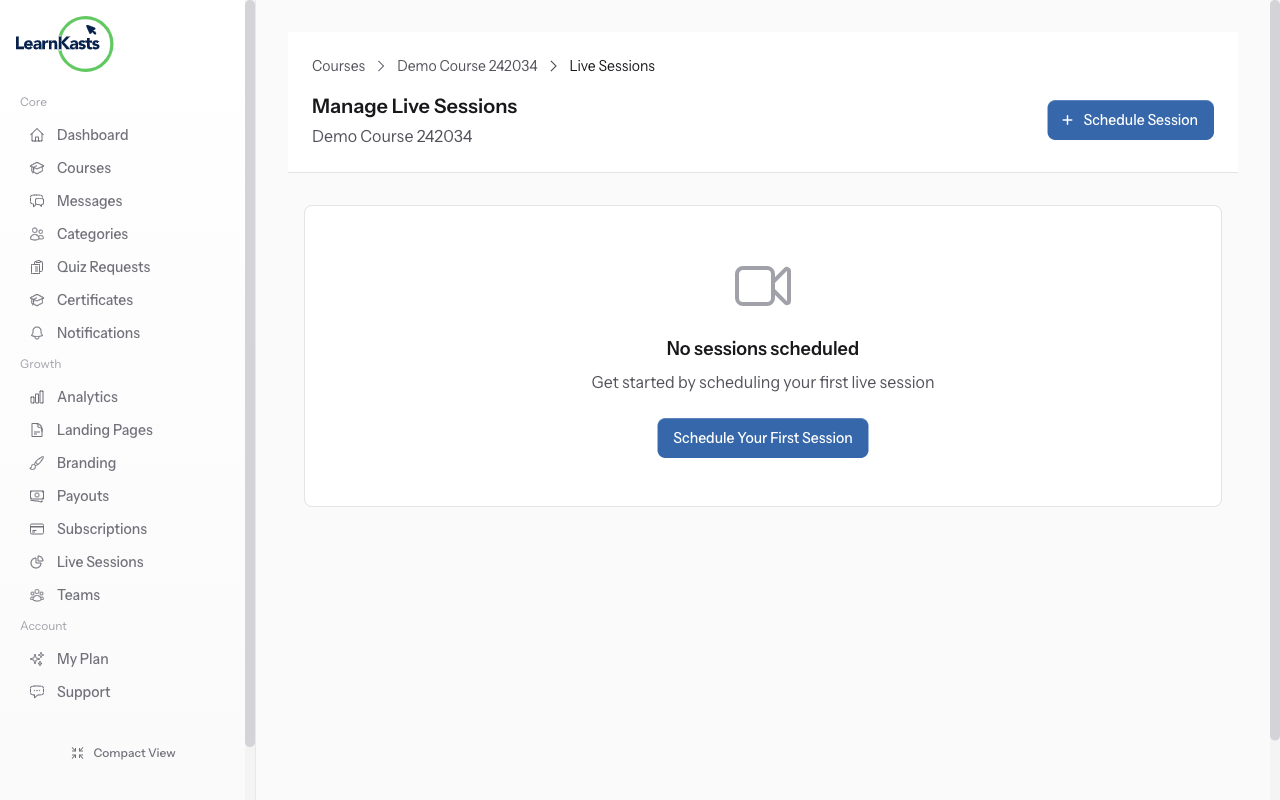
Go to /trainer/courses/{courseId}/live-sessions to manage sessions for your course. You'll see upcoming, ongoing, and past sessions. Click "Schedule Session" to create a new live class.
-
Schedule a live session
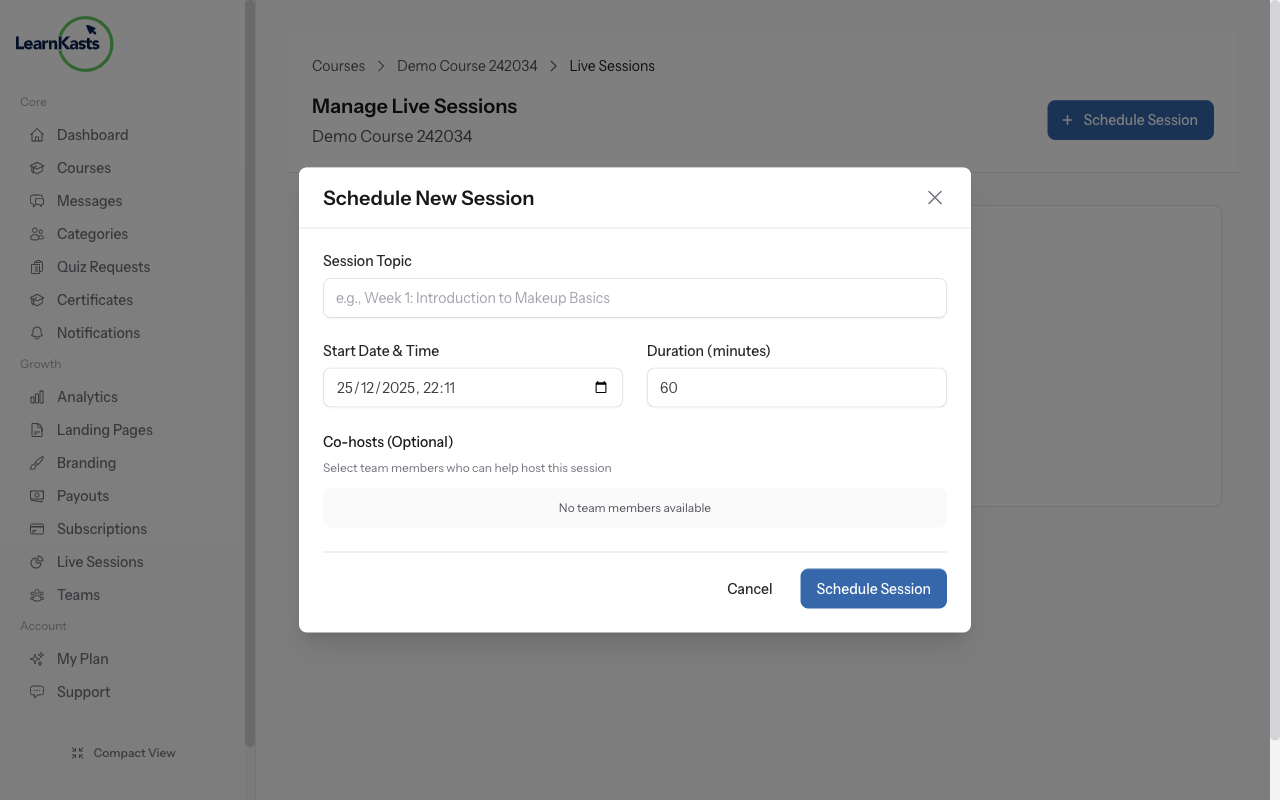
Click "Schedule Session" button. Enter session title, select date and start time, set duration in minutes, and set participant limit. Daily.co video room is created automatically - no external links needed.
-
Fill session details
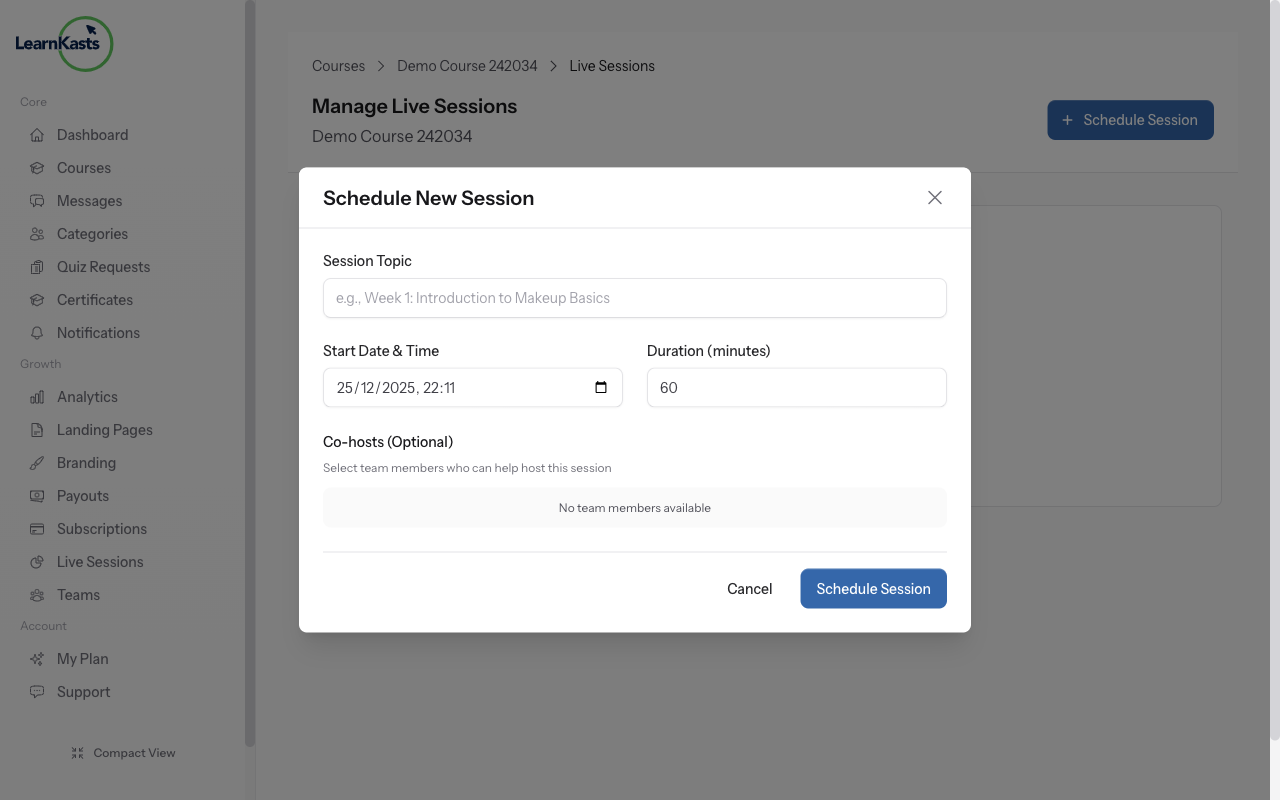
Add description so students know what to expect. Click "Create" to schedule. Students enrolled in the course will see the session on their dashboard with date, time, and a "Join" button.
-
Join the live session
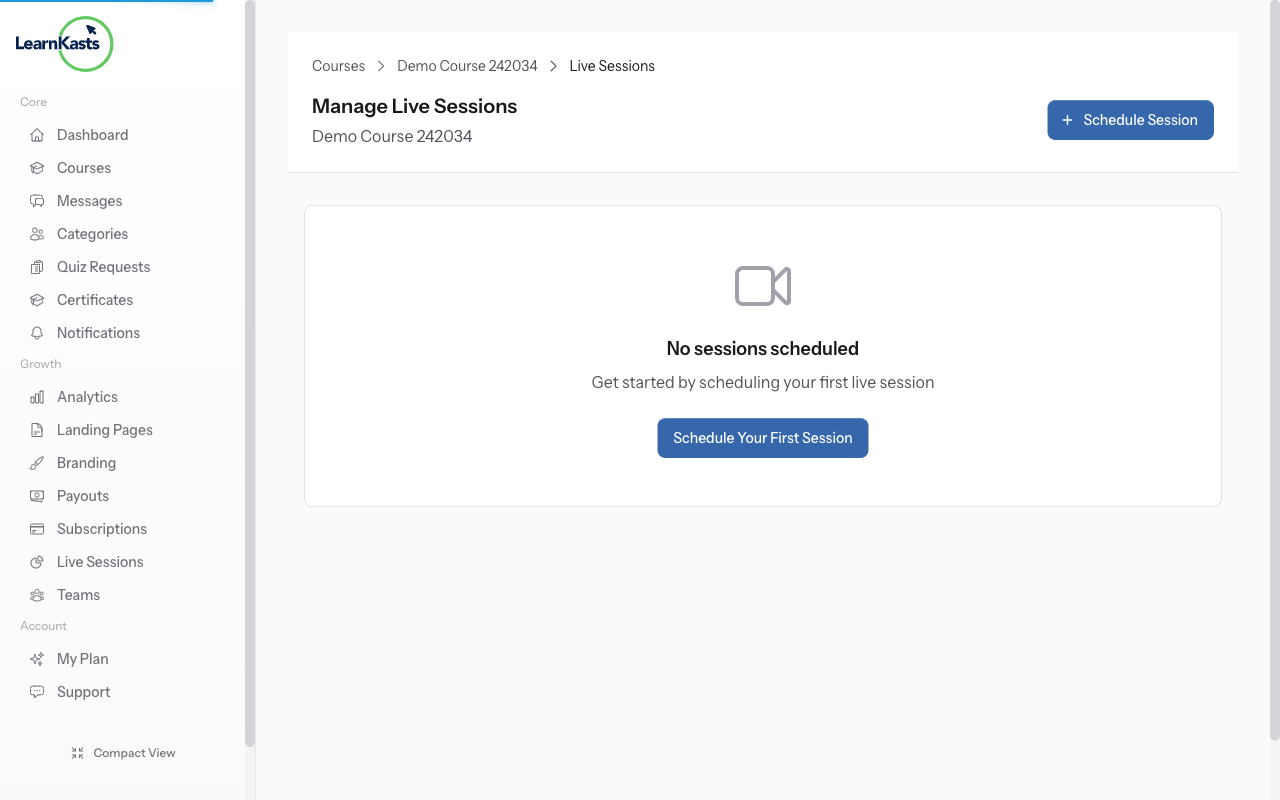
When session time arrives, click "Join" button. Daily.co video opens in browser - no app needed. Manage participants, share screen, chat with students. After session, view attendance at /trainer/live-sessions/{sessionId}/attendance.
Àwọn ìtọ́sọ́nà mìíràn
Ìtọ́sọ́nà fún olùkọ́
Ìtọ́sọ́nà ìgbésẹ̀-sí-ìgbésẹ̀ fún ṣíṣẹ̀dá ẹ̀kọ́, ṣíṣe ìpàdé tààrà àti mímú iṣẹ́ ìkọ́ni rẹ dàgbà.
- Getting started as an educator
- Creating your first course
- Building course curriculum
- Uploading video lessons
- Using AI to generate quizzes
- Creating quizzes and assignments
- Assignments and grading queues
- Hosting live sessions
- Creating and managing webinars
- Managing course cohorts
- Adding students to cohorts
- Setting up subscriptions
- Course reviews and ratings
- Issuing certificates
- Understanding course analytics
- Live session usage and billing
- Setting up payout methods
- Viewing revenue and payouts
- Setting up your educator subdomain
- Creating landing pages
- Using the visual page editor
- Adding page sections
- Page styling and branding
- AI Studio Composer
- AI Voice Clone & Avatar
- Traffic sources & UTM attribution
Ìtọ́sọ́nà fún akẹ́kọ̀ọ́
Gbogbo ohun tí akẹ́kọ̀ọ́ nílò láti wo ẹ̀kọ́, darapọ̀ mọ́ ìpàdé tààrà àti tẹ̀lé ìlọsíwájú wọn.
- Creating an account
- Browsing and finding courses
- Enrolling in a course
- Watching video lessons
- Taking notes during lessons
- Submitting assignments
- Taking quizzes
- Joining live classes
- Attending webinars
- Managing your subscriptions
- Viewing your certificates
- Writing course reviews
- Managing your orders
- Updating your profile
Ẹgbẹ́ àti ìṣàkóso
Ìṣàkóso ẹgbẹ́, àṣẹ, ìsanwó àti irinṣẹ́ ìṣàkóso fún àwọn àjọ.
Ṣé ìtọ́sọ́nà yìí ràn ọ́ lọ́wọ́?
Bí o bá nílò ènìyàn gidi, ẹgbẹ́ ìrànlọ́wọ́ wa ń dáhùn ní èdè tó yé láàrin ọjọ́ iṣẹ́ kan. Ó yára jù lórí WhatsApp.